whatsapp chatbot pricing
WhatsApp chatbot pricing: five costs to ask about before you pay
By Runs It All · · 3 min read
You find a WhatsApp chatbot at a low monthly price. A few weeks later the bill is higher and nobody can quite say why. It happens because the price on the page is only one line of several.
Here are the five costs to ask about before you pay for any WhatsApp chatbot or assistant, ours included.
The five costs
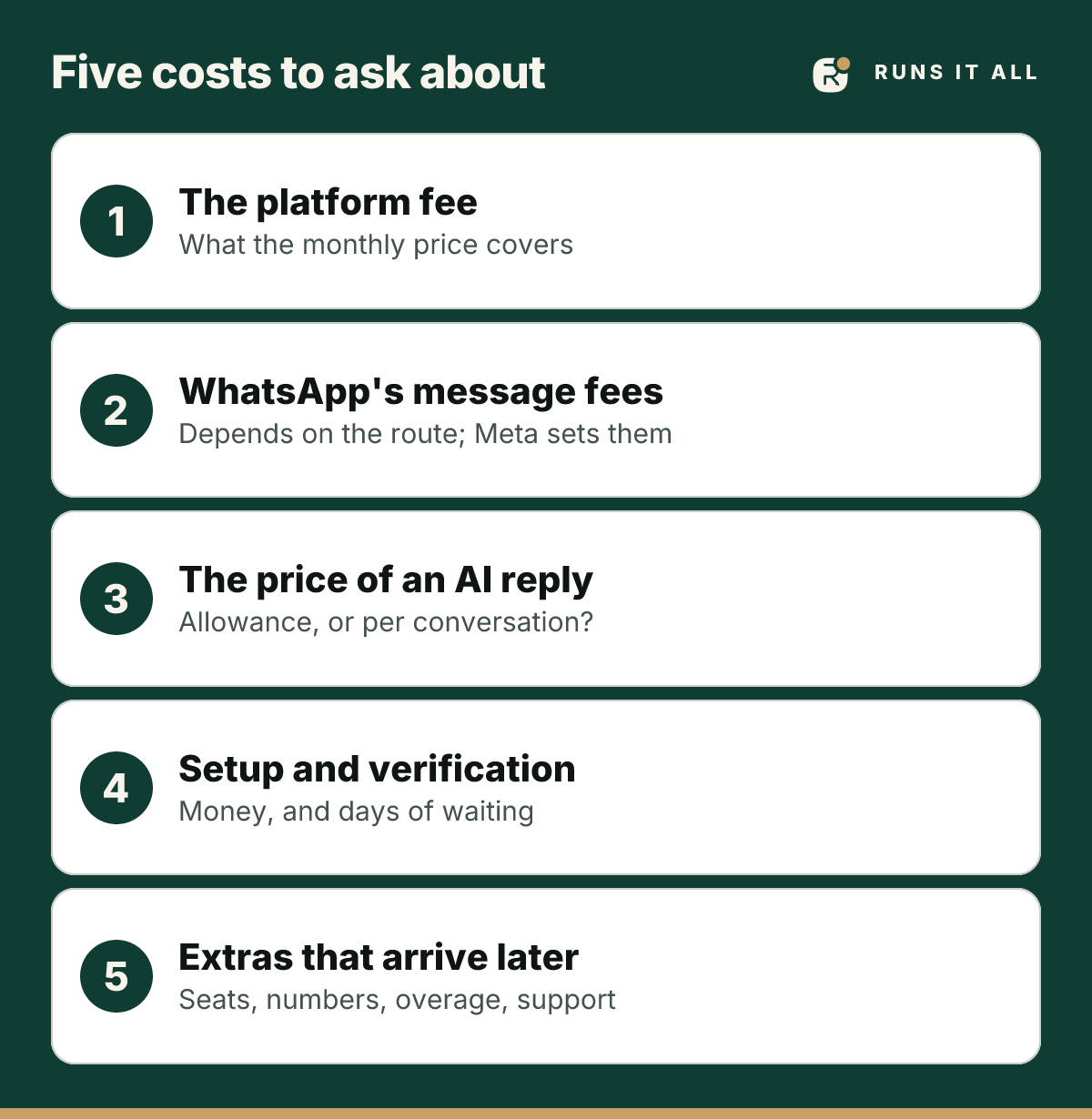
- The platform fee. The monthly subscription. Ask what it covers: how many people on your team can log in, how many numbers, and whether AI replies are included.
- WhatsApp's own message fees. Depending on how a tool connects to WhatsApp, Meta may charge for messages, and its rules change. Ask which route the vendor uses and whether Meta's charges come on top of their price.
- The price of an AI reply. Some tools count every reply against a monthly allowance, others charge per conversation. Ask what happens when you run out: do replies stop, or does the bill grow?
- Setup and verification. Some routes need a business verification and an approval process before the first message goes out. Ask what that costs, in money and in days.
- Extras that arrive later. More team seats, a second number, more messages than the plan includes, a person to answer your questions. Ask for the price of each before you need it.
If a vendor will not tell you these five numbers before you pay, treat that as your answer.
A one-page sheet to compare any two tools
Copy this into a note and fill it in for each tool you are considering, using your own numbers:
- Monthly platform fee:
- Extra team seats or numbers you would need:
- WhatsApp's message fees for your volume (from Meta's own price page):
- AI replies you expect each month, and the price of any above the allowance:
- One-off setup or verification cost:
- Total for a normal month, and for your busiest month:
Always ask for your busiest month, not your average one. A tool that is cheap in a quiet month and expensive in a busy one charges you most when you are doing best.
A worked example, with invented tools
Two made-up tools show why the busiest month matters. Tool A costs £25 a month and charges £0.06 for every AI reply. Tool B costs £60 a month and includes 1,500 AI replies.
- A quiet month, 100 AI replies: Tool A comes to £31 and Tool B to £60. Tool A looks like the bargain.
- A busy month, 1,500 AI replies: Tool A comes to £115 and Tool B to £60. The bargain has reversed.
Neither tool is real, and the prices are invented. The lesson is real: a low headline price with a per-reply charge rewards you in quiet months and punishes you in the months you are doing well. Work out which kind of month you are shopping for.
Meta publishes the current charges for messages on its own page, which is the one to trust over any vendor's summary: WhatsApp Business Platform pricing, from Meta.
How Runs It All answers the five questions
We would rather you ask. Here is what we can say today:
- Platform fee: every plan is shown in full on the pricing page, and there is a free plan to start with. No card needed.
- Answers from your own information, such as prices, opening hours, location, payment details and your policies, are not counted. They are free and unlimited on every plan. Only replies the AI writes count against your plan's allowance.
- Connection: it works on the WhatsApp number you already use, linked by scanning a code like WhatsApp Web, so there is no separate business-API verification to pay for or wait for. The trade-offs of that route are laid out openly on our page about running without Meta approval.
See every plan and exactly what it includes: Runs It All pricing.
Questions owners ask
- What is the cheapest way to run a WhatsApp chatbot?
- Start with a free plan and a tool that does not charge for every simple answer. Then compare the five costs above for your busiest month, not your average one.
- Does WhatsApp charge for chatbot messages?
- It can, depending on how the tool connects and on Meta's rules at the time, which change. Check Meta's current pricing page and ask the vendor which route they use.
- Are AI replies free?
- Usually not. Most tools count them against an allowance or charge per conversation. On Runs It All, answers from your own price list, hours and policies are not counted; only replies the AI writes are.
- Is Runs It All free?
- There is a free plan to start with, no card needed. Plans and their limits are listed on the pricing page.